Buffalo NAS for local AI
Updated
Is Buffalo good for local AI?
No. The TeraStation TS3420DN is a Traditional NAS that we keep for comparison. Its quad-core Annapurna Labs Alpine AL214 is an ARM processor, memory is fixed at 1GB, and Buffalo's own operating system has no Docker or app platform, so there is no way to run a local model on it.
Which Buffalo systems do we track?
1 systems, 0 with a verified UK price. Sorted by AINAS Score.
| System | AI class | Score | Max RAM | Bays | Network | GPU expansion | Price |
|---|---|---|---|---|---|---|---|
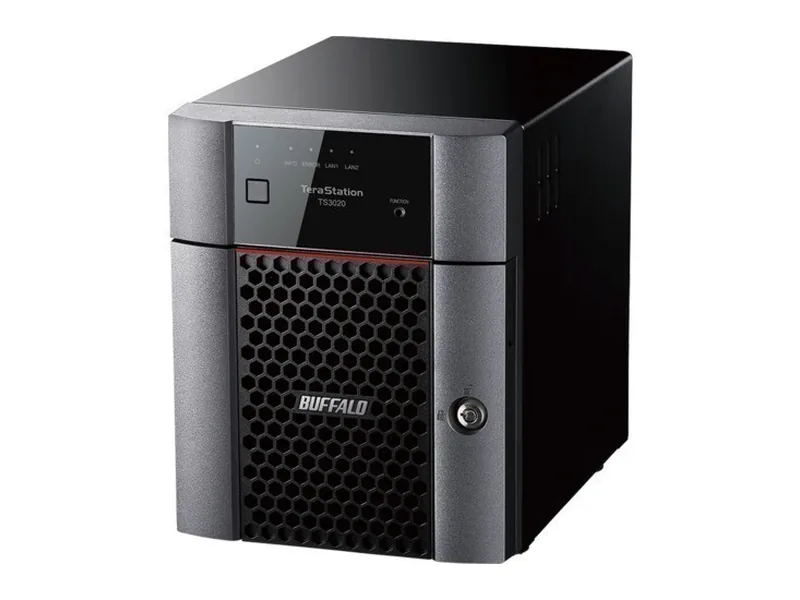 | Traditional NAS | 14 | 1GB | 4 | 2.5GbE | None | No verified price |
What AI features do Buffalo systems support?
Local LLM
0 of 1
0 documented by Buffalo.
Ollama
0 of 1
0 documented by Buffalo.
Open WebUI
0 of 1
0 documented by Buffalo.
GPU expansion
0 of 1
0 documented by Buffalo.
AI photos
0 of 1
0 documented by Buffalo.
Surveillance AI
0 of 1
0 documented by Buffalo.
Classes in this range: 1 Traditional NAS.
What does Buffalo do for local AI?
Very little is possible here, and the ceilings show why. The TeraStation TS3420DN, the only Buffalo system on this page, has no NPU, so there is no TOPS figure to quote. No integrated GPU is listed either, and the single accelerator named in the specification handles RAID parity rather than media or inference. Adding graphics later is ruled out as well: the Japanese spec sheet shows no PCIe slot, and we record no USB4, Thunderbolt or OCuLink port that could reach an external card.
Memory sets the harshest limit. This model ships with 1GB of non-ECC DDR3, and 1GB is also its maximum, so no upgrade can lift it. Compute comes from a quad-core Annapurna Labs Alpine AL214, an ARM processor, running the Linux-based TeraStation OS. That system offers no Docker, no virtual machines and no app platform, which leaves Ollama with nowhere to live whatever the hardware could manage. We rate the unit a Traditional NAS and keep it on the site for comparison only.
Which Buffalo range fits which buyer?
TeraStation TS3420DN buyers are businesses after a pre-populated box for file shares and backup, and nothing more. This four-bay desktop tower comes only with drives fitted, in four-drive and two-drive configurations, with no diskless version, so anyone hoping to reuse their own disks should rule it out. All storage sits in those bays, because there are no NVMe slots for flash. Cover runs to three years, and the design dates from 2019. Networking needs a second look before ordering: Buffalo's Japanese sheet lists one 2.5GbE port and one gigabit port, while the European spec table lists two gigabit ports, so confirm which applies to a UK unit. It suits an office that judges a NAS on whether the shares stay up, not one hoping to question its own documents.
Where Buffalo falls short
All ten capabilities we check come back negative. Our checks found no way to host Ollama or Open WebUI, no support for RAG or any other local LLM use, and no AI search, AI photo or AI video feature in Buffalo's specification. Surveillance is the one gap Buffalo states itself, because its spec table marks IP camera support as not supported. That removes camera recording of any kind, with or without AI.
The limits also stack, so curing one would change nothing. More memory would still leave an ARM chip with no container platform, and a container platform would still have only 1GB to work with. The absence of virtual machine support closes the usual workaround of running a second operating system alongside the first. Nor is there a bigger Buffalo to step up to here, since this page covers a single model, and a buyer who outgrows it has to change brand. None of this counts against the TS3420DN as a file server. It counts against it only for anyone expecting AI work from it.
What Buffalo documents officially
Buffalo documents no local AI at all on the two vendor pages available to us, which is why only two links appear here. Buffalo Japan's printable TS3420DN specification sheet is the more useful, since it is the page that shows the missing PCIe slot and the unsupported camera feature, while the Buffalo Americas TeraStation 3420DN product page speaks mainly to the product's status. We found no mention on either of a language model, Ollama, Open WebUI or RAG, and no guidance on containers, virtual machines or AI acceleration for this model, so any promise of AI use would have to come from somewhere other than the manufacturer.
Why is the TS3420DN a Traditional NAS?
The gap to the next class is clearest against the most modest systems we rate AI Capable. The Beelink ME mini and GMKtec NucBox G9 have four-core Intel N150 processors with 16GB and 12GB of memory, and the Lincplus LincStation N2 adds Unraid out of the box. Any of them can run Ollama in a container, which the TeraStation cannot, and even the smallest of those memory figures is twelve times what Buffalo fits here.
Can you still buy the TS3420DN?
Check before planning around it. We still list it and have not marked it discontinued, but Buffalo Americas describes the product as discontinued and Buffalo Japan points to a newer successor, so the two vendor sites suggest it is near the end of its life.
What can a TS3420DN owner do for AI?
The memory figure settles it before software does. Our fit rule sets aside 8GB for the NAS itself before any model is counted, so the 1GB in the Buffalo TeraStation TS3420DN leaves no room for even Llama 3.2 3B at Q4, which needs 11GB by that rule (Estimated). Its stored scores run from 7 for AI search to 20 for business use, among the lowest on the site, and they reflect hardware that can serve files but never a model.
For an office that already owns one, the practical route is to keep it as a file share or backup target and put local AI on a separate machine on the same network, such as a Lincplus LincStation N2 with 16GB, Docker and a 10GbE port.
Buffalo comparisons
Head-to-head comparisons for Buffalo systems are being prepared.
Guides for Buffalo owners
See all AI NAS guides.