45Drives HL15 vs QNAP TS-h1290FX
Updated
Which should you buy?
Buy the TS-h1290FX for a vendor-backed GPU route: QNAP publishes a list up to the RTX 4000 Ada 20GB and a RAG guide naming this model. Buy the HL15 for 15 drive bays, Linux control and a 10.25in GPU limit you manage yourself, since 45Drives says nothing about LLM use and the evidence comes from an owner's build. Both are AI Ready and neither ships with a GPU.
The short answer
Buy the QNAP TS-h1290FX if you want a GPU server for local AI with the vendor behind every layer. QNAP publishes a GPU list that reaches the RTX 4000 Ada 20GB and RTX 5060 Ti 16G, its on-premises Qsirch RAG guide names this exact model, and its Ollama, Open WebUI, QuMagie and QVR support is all vendor confirmed. Buy the 45Drives HL15 if bulk disk storage and Linux control matter more: it has 15 bays against 12 flash bays, two OCuLink ports, a 1000W ATX supply and a 4U chassis that 45HomeLab staff say fits a GPU up to 10.25in.
Neither ships with a graphics card, an NPU or integrated graphics, so both depend on the card you add. Memory is not the limit on either. The HL15 starts at 16GB of DDR4 RDIMM or LRDIMM and reaches 512GB; the TS-h1290FX starts at 64GB of ECC RDIMM and reaches 1024GB. Fully loaded, both hold Qwen3 235B A22B at Q8 in system memory (Estimated), but on an EPYC processor alone that model would reply slowly, and a card holding the whole model answers several times faster (Estimated). Networking is two 10GbE ports on the HL15 against two 25GbE plus two 2.5GbE on the QNAP.
The software gap is the real decision. The HL15 runs Rocky Linux 9 with Houston UI, containers run through Podman, and the only local AI evidence is one owner's build with an RTX 4070 Ti and Ollama on Proxmox, which is not the operating system 45Drives supplies. 45Drives makes no statement on LLM use and publishes no warranty term on the pages we read, against five years from QNAP.
Choose the 45Drives HL15 if
You are happy on Linux, want 15 drive bays with room for a GPU up to 10.25in, and do not need a vendor to support your AI stack. You will follow owner builds, handle UK import details yourself and confirm warranty terms with 45Drives before you order.
Choose the QNAP TS-h1290FX if
You want a supported route to GPU inference for a team, with a compatibility list, a vendor RAG guide that names your model and a five-year warranty. All-flash storage and 25GbE suit your work, and you would rather use QNAP's apps than assemble your own software.
How do the specifications compare?
Every figure comes from the system's own record, with sources on each system page. The better figure in each row is marked.
Price
Compute
Memory
Storage
Connectivity
Software
AI
Other
Which can run bigger local models?
The QNAP TS-h1290FX reaches 1024GB of memory against 512GB on the 45Drives HL15. That is the difference between 70B class models at higher-quality quantization, or large mixture-of-experts models at 4-bit and 70B class models at higher-quality quantization, or large mixture-of-experts models at 4-bit (Estimated). The largest 4-bit model each can hold is roughly 1693B and 840B parameters, after leaving 8GB for the operating system.
For GPU acceleration, the 45Drives HL15 offers pcie x16 slot, while the QNAP TS-h1290FX offers full-size gpu. A discrete card with its own memory is the biggest single speed upgrade for local models, so this matters more than CPU cores for anyone planning to run 14B models or larger.
Workload by workload
Local LLM
Both rate good, but the evidence differs in kind. On the TS-h1290FX, local models are vendor confirmed: LLM Core runs models such as DeepSeek R1 and Gemma 3, and QNAP's Ollama tutorial covers Container Station with an optional NVIDIA GPU. On the HL15 the label is community confirmed, from a single owner build running Ollama with GPU passthrough on Proxmox. The QNAP is the safer buy for a team; the HL15 suits someone who will rebuild the software stack.
Private RAG
The TS-h1290FX is better here, rated good against OK. QNAP documents on-premises Qsirch RAG through LLM Core on QuTS hero 5.2.1 or later, and its guide recommends this model with an RTX 6000 Ada or RTX 4000 Ada. Open WebUI has its own QNAP tutorial. On the HL15, RAG is unverified, and Open WebUI is community confirmed only from an earlier HL15 build on the same ROMED8-2T board, seen in a search extract.
AI search
This is the widest gap, with stored scores of 84 against 40. Qsirch AI Semantic Search is vendor confirmed on the TS-h1290FX, needing a 64-bit x86 processor, QTS or QuTS hero 5.0.1 or later and 8GB of memory; whether its GPU-backed AI Mode applies to this model is not stated. Houston UI documents no AI search at all, so the HL15 rates poor and any semantic search would be something you install yourself.
AI photos
Both carry a good verdict, yet the QNAP scores 86 to the HL15's 70. QuMagie handles people, objects and places as a vendor-supported app. The HL15 has no bundled photo app; the same owner build runs Immich in an LXC container, which earns a limited, community confirmed label. With no integrated graphics, photo recognition on the HL15 runs on the CPU unless you fit a card.
Surveillance
The TS-h1290FX rates good and the HL15 unknown. QNAP provides QVR Surveillance with two free channels plus six more on registration, and QVR Pro with eight free channels under QTS. 45Drives bundles no surveillance software, and we found no evidence of a self-hosted camera stack on this chassis, so the label is unverified. Fifteen bays would suit long footage retention, but unknown is not the same as works.
They are level on Home lab, Business and Creative AI, where both rate good.
Expansion and upgrades
Both use ECC registered memory, so neither is short of headroom. The HL15 takes DDR4 RDIMM or LRDIMM from 16GB to a 512GB maximum, while the TS-h1290FX takes DDR4 ECC RDIMM from 64GB to 1024GB, with the 128GB and 256GB versions moving from the eight-core EPYC 7232P to the sixteen-core 7302P.
For GPUs, the QNAP has four PCIe Gen4 slots wired x16, x16, x8 and x16, and slots 3 and 4 take cards up to 280mm on a 750W supply. The HL15 uses PCIe 4.0 x16 slots on an ASRock ROMED8-2T board; 45HomeLab does not state the slot count, and some slots drop to x8 when NVMe or OCuLink is in use. It adds two OCuLink PCIe 4.0 x4 ports.
Storage splits cleanly: 15 bays and two M.2 slots on the HL15, 12 all-flash bays and no M.2 on the QNAP. Either can take a faster network card, though every card uses a slot a GPU might need.
If neither fits
- QNAP TS-h1277AXU-RP suits the HL15 buyer who wants twelve bays in a rack with QNAP software and five years of warranty. It pairs a Ryzen 7 7000 processor with ECC DDR5 up to 192GB and a PCIe Gen4 x8 slot beside two Gen4 x4 slots.
- QNAP TS-h3087XU-RP suits a buyer for whom bay count matters most, with 30 bays against the HL15's 15. It has a Xeon E-2378, ECC memory to 128GB and three PCIe Gen 4 slots, one of them x8.
What do they cost in the UK right now?
Live Amazon UK prices, each with the time it was last verified. Where a system has no verified Amazon UK offer, its Amazon US price is shown in US dollars and marked.
| System | Price | Stock | Buy |
|---|---|---|---|
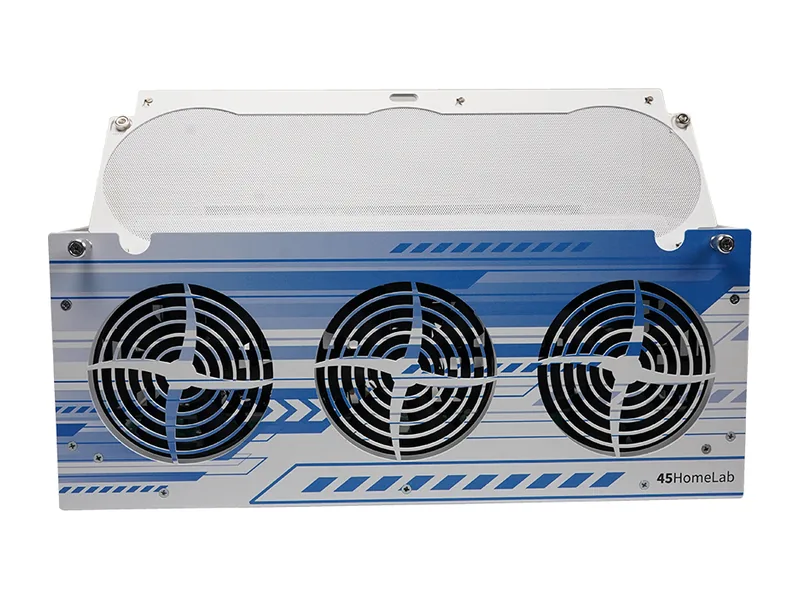 | No verified price | Unknown | |
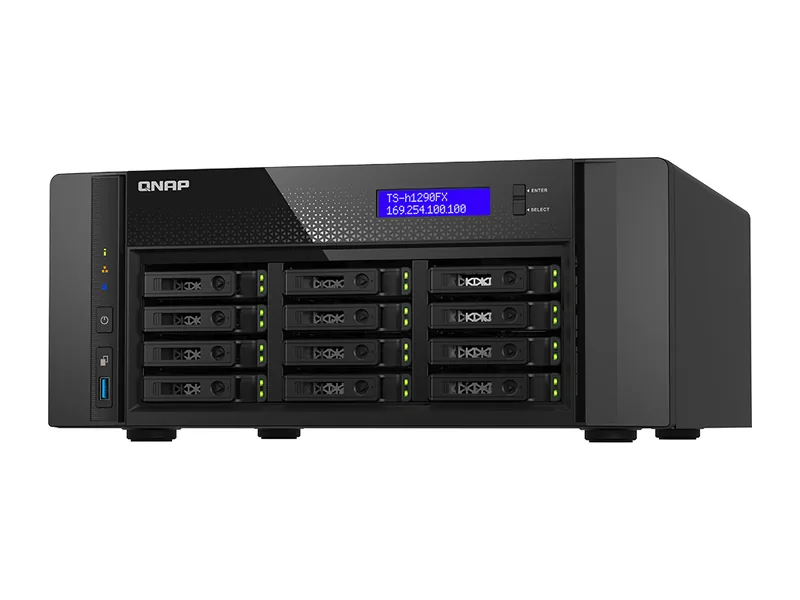 | No verified price | Unknown |
Product prices and availability are accurate as of the date/time indicated and are subject to change. Any price and availability information displayed on Amazon.co.uk or Amazon.com, as applicable, at the time of purchase will apply to the purchase of this product.
HL15 vs TS-h1290FX questions
Which is better for local LLMs, the HL15 or the TS-h1290FX?
The QNAP TS-h1290FX scores higher on the AINAS Local LLM profile (82 against 77), which weights memory and GPU options most heavily.
Which has faster networking?
The 45Drives HL15 has 2 x 10GbE as its fastest port and the QNAP TS-h1290FX has 25GbE.
Which has more storage?
The 45Drives HL15 has 15 drive bays and 2 M.2 slots; the QNAP TS-h1290FX has 12 bays and 0 M.2 slots.
How long is the warranty on each?
Not stated for the 45Drives HL15 and 5 years on the QNAP TS-h1290FX, according to the manufacturers.
Want to add a third system? Open this comparison in the compare tool.