64GB max RAM · 4 bays · 10GbE
AINAS Score 43
No verified UK price
View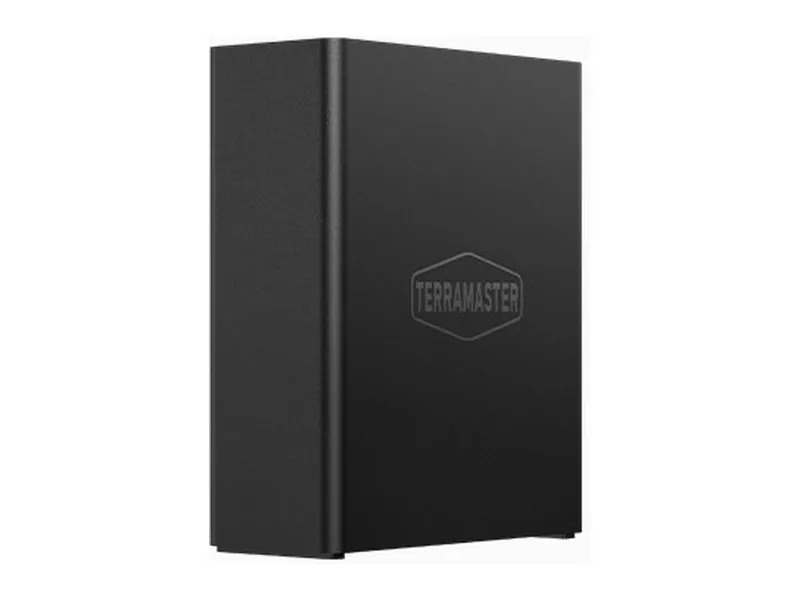
Can the TerraMaster F8 SSD Plus run local AI?
The TerraMaster F8 SSD Plus can run small local models, with limits. Its Intel Core i3-N305 and 32GB memory ceiling suit models up to the 14B class, with 32B class models a tight fit (Estimated), so treat it as a storage-first NAS that can host light AI tools.
There is no way to add a discrete GPU, so all inference runs on the CPU and basic integrated graphics.
Local LLM support is documented by the manufacturer.
The F8 SSD Plus is TerraMaster's compact all-flash NAS with eight M.2 slots, an Intel Core i3-N305 and one 10GbE port. We checked whether an AI edition exists, as some listings suggest, and found none: there is one configuration, and TerraMaster's AI-native TOS 7 launch covered a different model.
We moved it from AI Ready to AI Capable. The i3-N305 has eight efficiency cores and basic UHD graphics, with no NPU, and memory stops at 32GB in a single SO-DIMM slot. There is no PCIe slot. TerraMaster's guide to running Ollama and Open WebUI in Docker applies to its x86 systems, so small models will run on the CPU.
TOS 7 adds AI photo recognition and an AI agent for natural language queries, but the agent setup uses an API key from a cloud provider, so it is not fully local. Buy the F8 SSD Plus as quiet, fast flash storage for a desk or studio, not as an AI server.
Amazon UK
16GB
£819.99
Verified
In stock
View dealProduct prices and availability are accurate as of the date/time indicated and are subject to change. Any price and availability information displayed on Amazon.co.uk at the time of purchase will apply to the purchase of this product.
Each capability shows how it was confirmed: Verified by AINAS, Vendor confirmed, Community confirmed or Unverified.
| Capability | Supported | Evidence | Note |
|---|---|---|---|
| Local LLM | Limited | Vendor confirmed | CPU/iGPU-only inference via Docker; no NPU or GPU expansion. TerraMaster blog describes deploying Ollama/Open WebUI via Docker Manager on x86 TOS NAS generally (names F4-425 Plus and F4-424 Pro, not this model). |
| Ollama | Yes | Vendor confirmed | Runs as a Docker container via TOS Docker/Container Manager. TerraMaster blog describes deploying Ollama/Open WebUI via Docker Manager on x86 TOS NAS generally (names F4-425 Plus and F4-424 Pro, not this model). |
| Open WebUI | Yes | Vendor confirmed | Open WebUI container via Docker; same TerraMaster blog source. |
| RAG | Limited | Unverified | Possible through Open WebUI or similar containers; no TerraMaster or community source showing RAG on TOS. |
| AI search | Limited | Vendor confirmed | TOS 7 AI agent (OpenClaw) and AI tagging allow natural-language queries; setup uses an API key from a provider such as OpenAI, so likely cloud LLM. Global search itself is an inverted index, not semantic. |
| GPU expansion | No | Vendor confirmed | Spec page lists no PCIe slot; no USB4, Thunderbolt or OCuLink. |
| Hardware acceleration | Yes | Vendor confirmed | Hardware transcoding engine H.264/H.265/MPEG-4/VC-1 up to 4K60 via Intel iGPU. Video only, no NPU. |
| AI photos | Yes | Vendor confirmed | TOS 7 Photos: AI face recognition and AI scene recognition (80+ categories), admin toggle. |
| AI video | No | Unverified | No AI video feature found in TOS 7 material. |
| Surveillance AI | Yes | Vendor confirmed | TOS 7 Surveillance Manager supports up to 32 ONVIF IP cameras. |
The F8 SSD Plus ships with 16GB of DDR5 non-ECC SODIMM and supports up to 32GB. Upgrading to the maximum lifts the model ceiling from 7B to 8B class models to models up to the 14B class, with 32B class models a tight fit (both Estimated).
As a rule of thumb, a 4-bit model needs about 0.6GB per billion parameters plus room for context. After leaving around 8GB for the NAS operating system, 32GB leaves space for a model of roughly 40B parameters at most (Estimated).
No. The F8 SSD Plus has no PCIe slot or OCuLink port for a graphics card. Inference runs on the CPU, with Intel UHD Graphics handling media tasks, so keep to small models.
With limits. The F8 SSD Plus can host a small RAG stack such as AnythingLLM or Open WebUI with a compact embedding model, but memory and compute restrict how large the answering model can be. It suits a personal document library more than a team knowledge base.
Networking is 10GbE. That is ample for indexing large libraries and for several people querying at once.
| Configuration | RAM | SSD | Notes |
|---|---|---|---|
| 16GB | 16GB | None | Only configuration on TerraMaster store; diskless, 1x 16GB DDR5 in a single slot |
The closest TerraMaster model by AINAS Score. Only the specifications that differ are listed.
The F8 SSD Plus scores best for Home Lab (44/100) and Business (44/100). It suits home lab owners who want one box for storage, containers, media and a few AI services.
It is a weaker fit for buyers who expect to add a graphics card later.
Other AI Capable systems closest in price.
Yes. Ollama support is documented by the manufacturer. See the capability table above for the source.
Yes. Open WebUI support is documented by the manufacturer. See the capability table above for the source.
Yes. AI photos support is documented by the manufacturer. See the capability table above for the source.
Yes. Surveillance AI support is documented by the manufacturer. See the capability table above for the source.
Yes. Hardware acceleration support is documented by the manufacturer. See the capability table above for the source.
It has 10GbE built in. The fastest port is 10GbE.
Every field records its source. Specifications were last checked on . Spot an error? Send a correction with a manufacturer link.