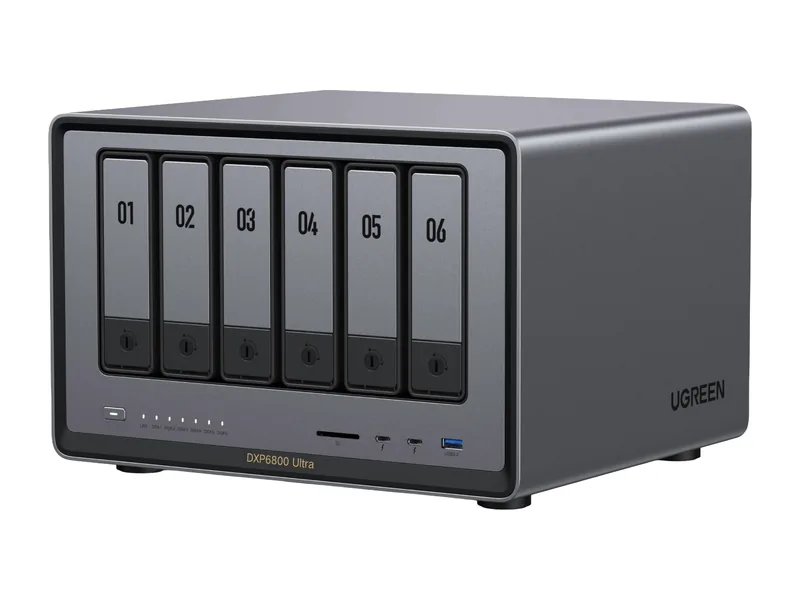
96GB max RAM · 6 bays · 2 x 10GbE
AINAS Score 61
£1,015.99£1,269.99
Amazon UK · Verified
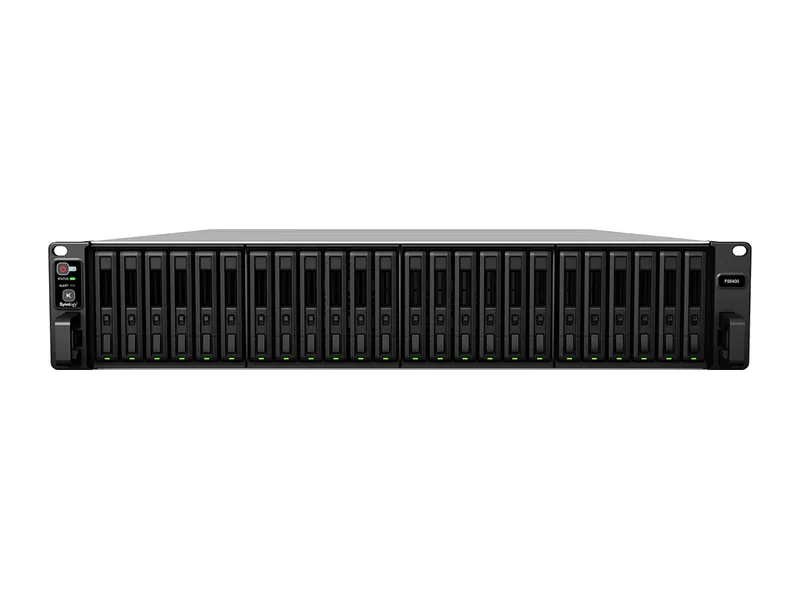
AI ReadySynology
Why AI Ready: Dual Intel Xeon Silver 4110 with no iGPU or NPU, two PCIe Gen3 x8 slots but no Synology-documented GPU support, and a 512 GB memory ceiling, so ready rather than native.
Updated
Can the Synology FS6400 run local AI?
The Synology FS6400 can run small local models, with limits. Its 2x Intel Xeon Silver 4110 and 512GB memory ceiling suit 70B class models at higher-quality quantization, or large mixture-of-experts models at 4-bit (Estimated), so treat it as a storage-first NAS that can host light AI tools.
There is no way to add a discrete GPU, so all inference runs on the CPU.
Local LLM support is confirmed by community reports.
The FS6400 suits businesses and home lab users who want a 24-bay all-flash rackmount NAS that can also host containers and virtual machines. It has 2x Intel Xeon Silver 4110 (16 cores), 32GB of DDR4 ECC RDIMM expandable to 512GB, 2x 10GbE and 2x 1GbE, and an 800W supply. Docker and virtual machines are both supported. Ollama runs in Container Manager on the CPU only, and community sources confirm it. With up to 512GB of memory, Qwen3 235B A22B fits at Q4 (Estimated). Surveillance Station is vendor confirmed for up to 485 IP cameras. The warranty is 5 years. The AINAS Score is 61.
The FS6400 has no GPU path. Synology leaves it off its GPU card list and says unlisted models do not support GPU cards, so the two PCIe Gen3 x8 slots will not take a graphics card. There is no NPU or integrated GPU either. Anyone who wants fast local AI, creative AI work or GPU-powered AI Search should look for a system with a supported GPU slot, an NPU, or an integrated GPU. The slots are for network cards, such as 25GbE and 10GbE adapters from Synology's own list. Only 32GB is fitted, so the large Estimated fits need memory added towards the 512GB ceiling first.
No verified price
We have not verified a listing for the Synology FS6400 at a retailer we track. The specifications below stand on their own; a price appears here as soon as a listing is confirmed.
Product prices and availability are accurate as of the date/time indicated and are subject to change. Any price and availability information displayed on Amazon.co.uk or Amazon.com, as applicable, at the time of purchase will apply to the purchase of this product.
Each capability shows how it was confirmed: Verified by AINAS, Vendor confirmed, Community confirmed or Unverified.
| Capability | Supported | Evidence | Note |
|---|---|---|---|
| Local LLM | Limited | Community confirmed | The FS6400 can only run Ollama on its CPU through Container Manager, as other x86 DSM models do. Its ceiling is 512 GB with no GPU or NPU, and Synology's guide covers DSM generally rather than this flash unit. |
| Ollama | Yes | Community confirmed | Package Center has no Ollama for the FS6400. The ollama/ollama container runs in Container Manager, CPU only, and the guide covers DSM generally rather than this flash unit. |
| Open WebUI | Yes | Community confirmed | Synology's guide pairs Open WebUI with Ollama in Container Manager on DSM generally; it does not test the FS6400 itself. |
| RAG | Limited | Unverified | The FS6400 has no Synology local RAG. AI Console bridges to third-party providers, and Open WebUI document chat via Docker is plausible but unverified on this flash unit. |
| AI search | No | Vendor confirmed | Not on the FS6400: GPU-powered AI Search in Synology Drive is limited, per the AI Console 2.0 and AI Runtime 1.0 betas, to the FS3420, FS6420 and 26-series rack models. |
| GPU expansion | No | Vendor confirmed | The FS6400 has 2x PCIe Gen3 x8 slots (x8 link) but is missing from Synology's GPU card list, and Synology says unlisted models do not support GPU cards. |
| Hardware acceleration | No | Vendor confirmed | For the FS6400, Synology lists a hardware encryption engine only: no integrated GPU, NPU or hardware transcoding. |
| AI photos | No | Vendor confirmed | Synology Photos does not list the FS6400, so it has no face or object recognition. |
| AI video | Limited | Vendor confirmed | No on-NAS deep video analytics (DVA series only). Surveillance Station can use on-camera AI people and vehicle detection from Synology BC500 cameras. |
| Surveillance AI | Yes | Vendor confirmed | Surveillance Station supported, up to 485 IP cameras (1080p H.264, 4850 FPS); 2 free licences, more require purchase. |
Calculated from the FS6400's memory and each model's published size at each quantization. Rows marked Estimated are calculations, not benchmarks. Check any model.
| Model | Best quantization | Runs? | Memory needed | Expected performance | Verification |
|---|---|---|---|---|---|
| Llama 3.2 3BLlama, 3.21B | Q8 | Yes | 13GB | Not measured | Estimated |
| Llama 3.1 8BLlama, 8.03B | Q8 | Yes | 19GB | Not measured | Estimated |
| Qwen3 8BQwen, 8.19B | Q8 | Yes | 19GB | Not measured | Estimated |
| Gemma 3 12BGemma, 11.8B | Q8 | Yes | 24GB | Not measured | Estimated |
| Qwen3 14BQwen, 14.8B | Q8 | Yes | 28GB | Not measured | Estimated |
| Phi-4 14BPhi, 14.7B | Q8 | Yes | 28GB | Not measured | Estimated |
| Mistral Small 3 24BMistral, 23.6B | Q8 | Yes | 38GB | Not measured | Estimated |
| Gemma 3 27BGemma, 27B | Q8 | Yes | 44GB | Not measured | Estimated |
| Qwen3 30B A3BQwen, 30.5B | Q8 | Yes | 47GB | Not measured | Estimated |
| Qwen3 32BQwen, 32.8B | Q8 | Yes | 50GB | Not measured | Estimated |
| DeepSeek-R1 32B (Qwen distill)DeepSeek, 32.8B | Q8 | Yes | 50GB | Not measured | Estimated |
| Llama 3.3 70BLlama, 70.6B | Q8 | Yes | 98GB | Not measured | Estimated |
| Llama 4 Scout 17Bx16ELlama, 109B | Q8 | Yes | 149GB | Not measured | Estimated |
| Qwen2.5 72BQwen, 72.7B | Q8 | Yes | 101GB | Not measured | Estimated |
| Mistral Large 2 123BMistral, 123B | Q8 | Yes | 164GB | Not measured | Estimated |
One verdict per workload, from the FS6400's use-case scores and capability rows. Unknown means we cannot confirm it, not that it probably works.
The FS6400 is an acceptable local LLM host, with limits. Ollama runs on the CPU only through Container Manager (community confirmed), and the 512GB ceiling is large, but there is no GPU or NPU.
Private RAG is workable but not a built-in feature. Synology offers no local RAG here, and Open WebUI document chat through Docker is plausible but unverified, so treat the RAG capability as unconfirmed.
AI search is a poor fit on the FS6400. Synology confirms GPU-powered AI Search in Synology Drive is limited to other models, and this system has no GPU path.
AI photos is a poor fit. Synology Photos does not list the FS6400, so Synology confirms there is no face or object recognition on it.
Surveillance is a good fit for the FS6400. Surveillance Station is vendor confirmed for up to 485 IP cameras, with 2 free licences and more available by purchase.
The FS6400 is a good home lab base. It has Docker and virtual machine support, 16 cores across two Xeons, ECC memory expandable to 512GB, and 24 bays.
Business use is a good match. The FS6400 combines ECC RDIMM memory, 2x 10GbE, an 800W supply, 24 bays and a 5 year warranty.
Creative AI is only an acceptable fit. Synology confirms no GPU expansion or hardware acceleration, so work depends on CPU-only containers and the large memory ceiling.
The FS6400 ships with 32GB of DDR4 ECC RDIMM and supports up to 512GB with ECC. Upgrading to the maximum lifts the model ceiling from models up to the 14B class, with 32B class models a tight fit to 70B class models at higher-quality quantization, or large mixture-of-experts models at 4-bit (both Estimated).
As a rule of thumb, a 4-bit model needs about 0.6GB per billion parameters plus room for context. After leaving around 8GB for the NAS operating system, 512GB leaves space for a model of roughly 840B parameters at most (Estimated).
ECC memory support is a plus for always-on systems that also hold important files.
No. The FS6400 has no PCIe slot or OCuLink port for a graphics card. Inference runs on the CPU, so keep to small models.
With limits. The FS6400 can host a small RAG stack such as AnythingLLM or Open WebUI with a compact embedding model, but memory and compute restrict how large the answering model can be. It suits a personal document library more than a team knowledge base.
Networking is 2 x 10GbE + 2 x 1GbE. That is ample for indexing large libraries and for several people querying at once.
| Configuration | RAM | SSD | Notes |
|---|---|---|---|
| FS6400 32GB ECC | 32GB | None |
The closest Synology model by bay count and AINAS Score. Only the specifications that differ are listed.
The FS6400 scores best for Home Lab (73/100) and Business (70/100). It suits home lab owners who want one box for storage, containers, media and a few AI services.
It is a weaker fit for buyers who expect to add a graphics card later.
Other AI Ready systems closest in overall score.
96GB max RAM · 6 bays · 2 x 10GbE
AINAS Score 61
£1,015.99£1,269.99
Amazon UK · Verified
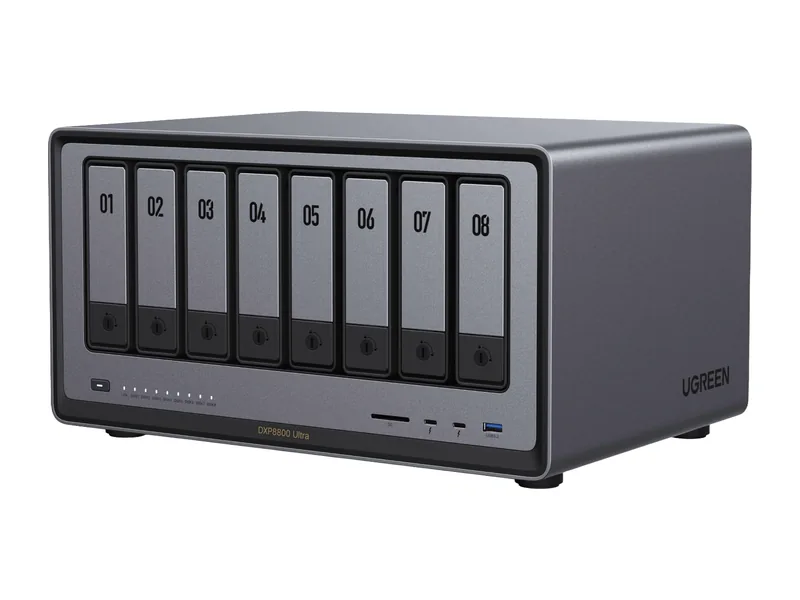
96GB max RAM · 8 bays · 2 x 10GbE
AINAS Score 61
$1,779.99
Amazon US · Verified
Ships from the US; delivery and import charges shown at checkout
192GB max RAM · 14 bays · 2 x 10GbE
AINAS Score 61
No verified price
Workloads it suits
Yes, by estimate. Qwen3 235B A22B needs 142GB at Q4 and 250GB at Q8, and both fit within the 512GB ceiling (Estimated). Fitting in memory is not a speed claim. Ollama runs on the CPU only, through Container Manager, and community sources confirm it. The system ships with 32GB, so you would need to add memory first.
Yes. It ships with 32GB of DDR4 ECC RDIMM and the maximum is 512GB. Memory sits in slots rather than being soldered. The ECC RDIMM type matters when you buy modules, so match it. Memory is the main lever for loading larger models, since the system has no GPU.
No. It has 2x PCIe Gen3 x8 slots, but Synology says models missing from its GPU card list do not support GPU cards, and the FS6400 is not on it. The slots suit the Synology-listed network cards instead, including 25GbE and 10GbE options.
Yes. It is on Synology's Container Manager list of applied models. It is also on the Virtual Machine Manager list, so virtual machines are supported as well. Containers use the CPU only, because there is no GPU or NPU to pass through.
Yes. The FS6400 uses DDR4 ECC RDIMM, with 32GB in the FS6400 32GB ECC configuration and a 512GB maximum. Registered ECC memory suits an all-flash system holding shared business data, and upgrade modules need to match the ECC RDIMM type. The memory ceiling is also the main AI lever here: with no GPU or NPU, the two Xeon Silver 4110 CPUs run models from system memory, which is how Qwen3 235B A22B fits at Q4 (Estimated).
5 years. That is the manufacturer warranty for the FS6400 as listed on Synology's site. The system was released in 2019. It is a rackmount system with 24 bays and an 800W power supply.
Yes. Ollama support is confirmed by community reports. See the capability table above for the source.
Yes. Open WebUI support is confirmed by community reports. See the capability table above for the source.
No. AI photos support is documented by the manufacturer. See the capability table above for the source.
Yes. Surveillance AI support is documented by the manufacturer. See the capability table above for the source.
No. Hardware acceleration support is documented by the manufacturer. See the capability table above for the source.
It has 2 x 10GbE + 2 x 1GbE built in, and the 2x PCIe Gen3 x8 slots (x8 link); Synology-listed cards: E25G30-F2 (25GbE), E10G30-F2/E10G30-T2/E10G30-T1 (10GbE) can take a faster network card. The fastest port is 2 x 10GbE.
Every field records its source. Specifications were last checked on . Spot an error? Send a correction with a manufacturer link.