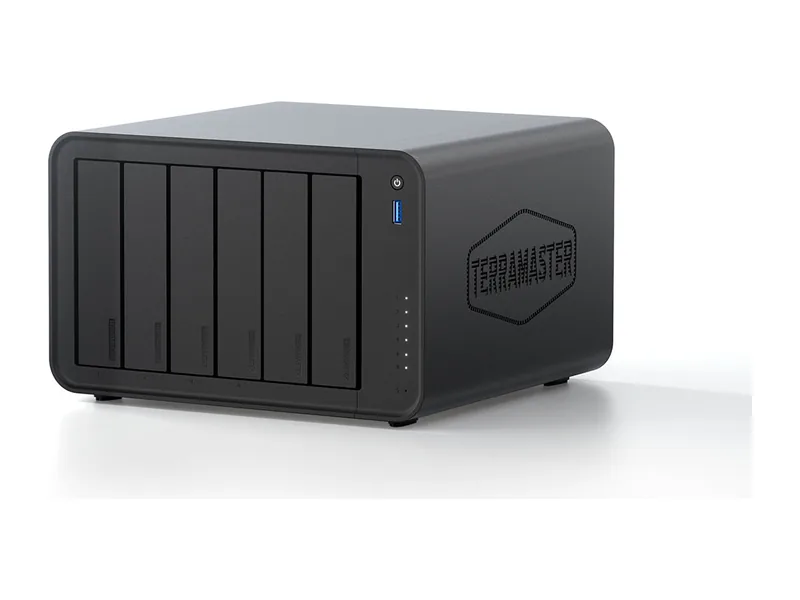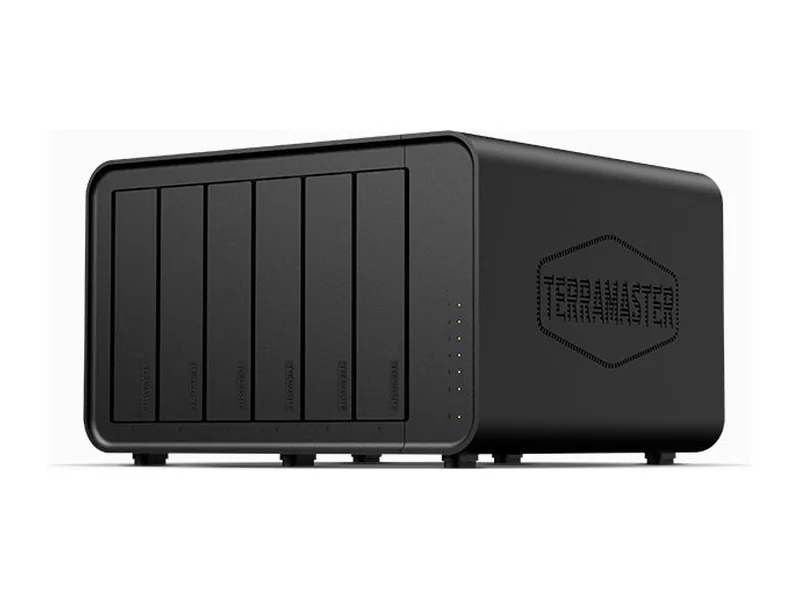
64GB max RAM · 6 bays · 2 x 10GbE
AINAS Score 52
£919.99
Amazon UK · Verified
AI ReadySynologyDiscontinued
Why AI Ready: Intel Xeon D-1541 with no iGPU or NPU, two PCIe Gen3 x8 slots (x8 link) and a 64GB memory ceiling, which meets the AI Ready line for Xeon under 128GB. Synology's card list names network and M.2 cards, not GPUs.
Updated
Can the Synology RS4021xs+ run local AI?
Only lightly. Expect 32B class models comfortably, and 70B class models at 4-bit with little headroom (Estimated) on the Synology RS4021xs+: Intel Xeon D-1541 does the work with up to 64GB of memory, which is fine for experiments rather than a daily assistant.
Without any GPU option, the processor carries the whole inference load.
Local LLM support is confirmed by community reports.
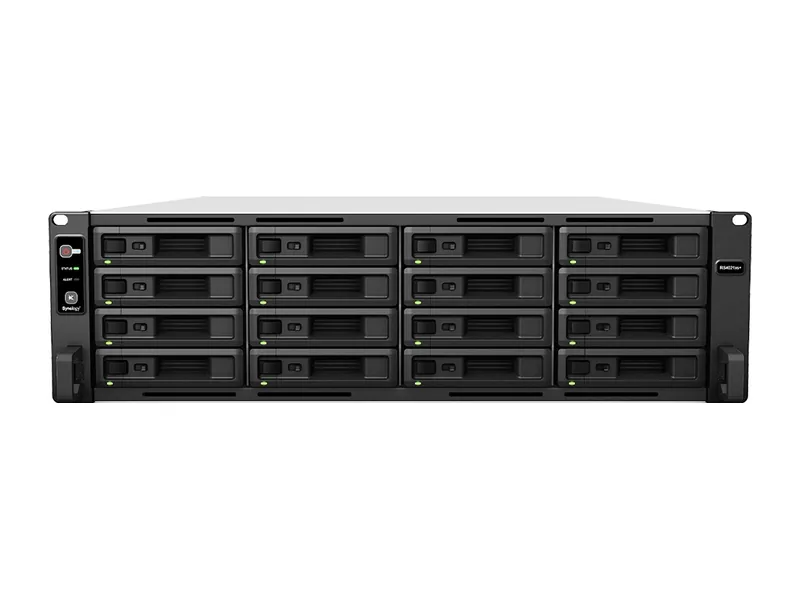
The RS4021xs+ suits a business or home lab buyer who wants a 16-bay rackmount NAS with ECC memory and who may also run a small local model on the side. It has an 8-core Intel Xeon D-1541, 16GB of DDR4 ECC memory expandable to 64GB, 2x 10GbE and 4x 1GbE ports, and an 800W power supply. It runs Docker and virtual machines under Synology DSM, and it carries a 5 year warranty. Surveillance Station is vendor confirmed for up to 280 IP cameras. Synology Photos face and object recognition is vendor confirmed. The AINAS Score is 52. Model fit is CPU only: Llama 3.3 70B fits at Q4 (Estimated), though with no GPU it is a capacity statement, not a speed claim.
The main thing that rules it out for AI work is the lack of a GPU path. The RS4021xs+ has two PCIe Gen3 x8 slots, but it is not on Synology's GPU card list, so GPU cards are not supported, and it has no integrated GPU or NPU. Every model runs on the 8-core Xeon, so Llama 3.3 70B fits at Q4 (Estimated) but runs on the CPU alone. That affects anyone who wants local LLM work, GPU-powered AI search or creative AI as a main job. Those buyers should look for a vendor-documented GPU card path or an NPU with a stated TOPS figure, plus a memory ceiling above 64GB. Synology has also discontinued the RS4021xs+ (Phase Out), which matters to a business that wants to standardise on a current 16-bay model with ECC memory, 10GbE and PCIe Gen3 x8 slots.
No verified price
We have not verified a listing for the Synology RS4021xs+ at a retailer we track. The specifications below stand on their own; a price appears here as soon as a listing is confirmed.
Product prices and availability are accurate as of the date/time indicated and are subject to change. Any price and availability information displayed on Amazon.co.uk or Amazon.com, as applicable, at the time of purchase will apply to the purchase of this product.
Each capability shows how it was confirmed: Verified by AINAS, Vendor confirmed, Community confirmed or Unverified.
| Capability | Supported | Evidence | Note |
|---|---|---|---|
| Local LLM | Limited | Community confirmed | CPU-only Ollama via Container Manager on x86 DSM models. 64 GB memory ceiling, no GPU or NPU. Guide covers the same DSM platform, not this exact unit. |
| Ollama | Yes | Community confirmed | Not in Package Center; ollama/ollama container runs in Container Manager on x86 Synology DSM (CPU only). Guide covers the same DSM platform, not this exact unit. |
| Open WebUI | Yes | Community confirmed | Guide documents Open WebUI alongside Ollama on Synology DSM via Container Manager; same DSM platform, not this exact unit. |
| RAG | Limited | Unverified | No Synology local RAG on this model. AI Console bridges to third-party AI providers. Open WebUI document chat via Docker plausible but not verified on this unit. |
| AI search | No | Vendor confirmed | GPU-powered AI Search in Synology Drive is limited to FS3420, FS6420 and 26-series rack models per the AI Console 2.0 and AI Runtime 1.0 betas; this model is not listed. |
| GPU expansion | No | Vendor confirmed | 2x PCIe Gen3 x8 slots (x8 link) exists but this model is not on the Synology GPU card list, which says unlisted models do not support GPU cards. |
| Hardware acceleration | No | Vendor confirmed | Spec lists a hardware encryption engine only; no integrated GPU, NPU or hardware transcoding listed. |
| AI photos | Yes | Vendor confirmed | Synology Photos face and object recognition listed for this model (on-device, CPU). |
| AI video | Limited | Vendor confirmed | No on-NAS deep video analytics (DVA series only). Surveillance Station can use on-camera AI people and vehicle detection from Synology BC500 cameras. |
| Surveillance AI | Yes | Vendor confirmed | Surveillance Station supported, up to 280 IP cameras (1080p H.264, 2800 FPS); 2 free licences, more require purchase. |
Calculated from the RS4021xs+'s memory and each model's published size at each quantization. Rows marked Estimated are calculations, not benchmarks. Check any model.
| Model | Best quantization | Runs? | Memory needed | Expected performance | Verification |
|---|---|---|---|---|---|
| Llama 3.2 3BLlama, 3.21B | Q8 | Yes | 13GB | Not measured | Estimated |
| Llama 3.1 8BLlama, 8.03B | Q8 | Yes | 19GB | Not measured | Estimated |
| Qwen3 8BQwen, 8.19B | Q8 | Yes | 19GB | Not measured | Estimated |
| Gemma 3 12BGemma, 11.8B | Q8 | Yes | 24GB | Not measured | Estimated |
| Qwen3 14BQwen, 14.8B | Q8 | Yes | 28GB | Not measured | Estimated |
| Phi-4 14BPhi, 14.7B | Q8 | Yes | 28GB | Not measured | Estimated |
| Mistral Small 3 24BMistral, 23.6B | Q8 | Yes | 38GB | Not measured | Estimated |
| Gemma 3 27BGemma, 27B | Q8 | Yes | 44GB | Not measured | Estimated |
| Qwen3 30B A3BQwen, 30.5B | Q8 | Yes | 47GB | Not measured | Estimated |
| Qwen3 32BQwen, 32.8B | Q8 | Yes | 50GB | Not measured | Estimated |
| DeepSeek-R1 32B (Qwen distill)DeepSeek, 32.8B | Q8 | Yes | 50GB | Not measured | Estimated |
| Llama 3.3 70BLlama, 70.6B | Q4 | Yes | 60GB | Not measured | Estimated |
| Llama 4 Scout 17Bx16ELlama, 109B | None fits | No | 89GB at Q4 | Not measured | Estimated |
| Qwen2.5 72BQwen, 72.7B | Q3 | Yes | 54GB | Not measured | Estimated |
| Mistral Large 2 123BMistral, 123B | Q2 | Yes | 62GB | Not measured | Estimated |
One verdict per workload, from the RS4021xs+'s use-case scores and capability rows. Unknown means we cannot confirm it, not that it probably works.
The RS4021xs+ is an acceptable choice for a local LLM, with limits. Community guides confirm CPU-only Ollama in Container Manager, but support is marked limited, with no GPU or NPU and a 64GB memory ceiling.
The RS4021xs+ is acceptable for private RAG, as a do-it-yourself setup. Synology offers no local RAG on this model, and Open WebUI document chat via Docker is plausible but Unverified on this unit.
The RS4021xs+ is a poor fit for AI search. Vendor confirmed: GPU-powered AI Search in Synology Drive is limited to other models, and this one is not among them.
The RS4021xs+ handles AI photos well. Synology Photos face and object recognition is vendor confirmed for this model, running on the CPU, as there is no GPU or NPU.
Surveillance is a good fit for the RS4021xs+. Surveillance Station is vendor confirmed for up to 280 IP cameras, with 2 free licences and further licences bought separately.
The RS4021xs+ is a good home lab base. It has 16 bays, an 8-core Xeon, ECC memory up to 64GB, Docker and virtual machine support, 2x 10GbE and two PCIe Gen3 x8 slots.
The RS4021xs+ is a good business NAS. It combines 16 bays, ECC memory, 2x 10GbE with 4x 1GbE, an 800W power supply and a 5 year warranty in a rackmount chassis.
Creative AI is workable on the RS4021xs+ only on the CPU. GPU expansion is vendor confirmed as unsupported and there is no hardware acceleration, so work stays on the 8-core Xeon.
Plan on upgrading. 16GB is fitted as standard, while the RS4021xs+ accepts 64GB of DDR4 ECC UDIMM, ECC included, which is the difference between 7B to 8B class models and 32B class models comfortably, and 70B class models at 4-bit with little headroom (Estimated).
Our estimate for the biggest model that fits in 64GB is about 93B parameters at 4-bit, after setting aside 8GB for the system. Long context windows reduce that figure (Estimated).
ECC memory support is a plus for always-on systems that also hold important files.
A graphics card is not an option on the RS4021xs+, which has neither a PCIe slot nor OCuLink. Inference runs on the CPU, so keep to small models.
As the storage half of a RAG setup it works well; as the model host it is limited. Small embedding models run fine on the RS4021xs+, while the answering model needs more compute than it has.
For network access it has 2 x 10GbE + 4 x 1GbE. Fast enough that the network will not be the bottleneck.
| Configuration | RAM | SSD | Notes |
|---|---|---|---|
| RS4021xs+ 16GB ECC | 16GB | None |
The closest Synology model by bay count and AINAS Score. Only the specifications that differ are listed.
Best fit: home lab owners who want one box for storage, containers, media and a few AI services. That is where the RS4021xs+ scores highest (Home Lab 64/100), followed by Business (62/100).
Less suited to buyers who expect to add a graphics card later and buyers who want a model with a long support life ahead.
Other AI Ready systems closest in overall score.
Workloads it suits
Yes, at Q4 only. Llama 3.3 70B needs 43GB at Q4, which fits within the 64GB ceiling (Estimated). At Q8 it needs 75GB, so it does not fit (Estimated). This is a memory calculation, not a benchmark. There is no GPU or NPU, so any model runs on the CPU through Ollama in Container Manager, which is community confirmed rather than tested on this exact unit.
Yes. It ships with 16GB of DDR4 ECC UDIMM and the memory is expandable up to 64GB. Because it is ECC UDIMM, choose compatible ECC modules. The 64GB ceiling matters for local AI, because it decides which models can load. Llama 3.3 70B fits at Q4 (Estimated), while Llama 4 Scout 17Bx16E does not (Estimated).
Yes. The RS4021xs+ uses DDR4 ECC UDIMM, and the 16GB it ships with is ECC. It is built around an Intel Xeon D-1541, and the memory can be expanded to 64GB. ECC suits file serving, virtual machines and business storage, where silent memory errors would be costly.
No. It has two PCIe Gen3 x8 slots with an x8 link, but it is not on Synology's GPU card list, and Synology says unlisted models do not support GPU cards. This is vendor confirmed. The slots are for the network and M.2 cards that Synology lists, such as 25GbE, 10GbE and M.2 adapters.
No. The RS4021xs+ has 0 built-in M.2 slots, so the 16 bays carry all of the storage. NVMe cache or M.2 storage needs one of the Synology-named adapter cards, the E10M20-T1 or M2D20, in one of the two PCIe Gen3 x8 slots. That leaves the other slot free for a network card, such as the E25G30-F2 for 25GbE or the E10G30-F2 for 10GbE, on top of the two 10GbE ports built in.
Yes. The RS4021xs+ is on Synology's Virtual Machine Manager applied-models list, and it is also on the Container Manager list for Docker. It has 8 cores and ECC memory expandable to 64GB, which sets the practical limit on how many virtual machines can run.
Yes. Ollama support is confirmed by community reports. See the capability table above for the source.
Yes. Open WebUI support is confirmed by community reports. See the capability table above for the source.
Yes. AI photos support is documented by the manufacturer. See the capability table above for the source.
Yes. Surveillance AI support is documented by the manufacturer. See the capability table above for the source.
No. Hardware acceleration support is documented by the manufacturer. See the capability table above for the source.
It has 2 x 10GbE + 4 x 1GbE built in, and the 2x PCIe Gen3 x8 slots (x8 link); Synology-listed cards: E25G30-F2 (25GbE), E10G30-F2/E10G30-T2 (10GbE), E10M20-T1 and M2D20 (M.2) can take a faster network card. The fastest port is 2 x 10GbE.
Every field records its source. Specifications were last checked on . Spot an error? Send a correction with a manufacturer link.